Meta Ads Manager Guide: Hands-On Tutorial (2026)
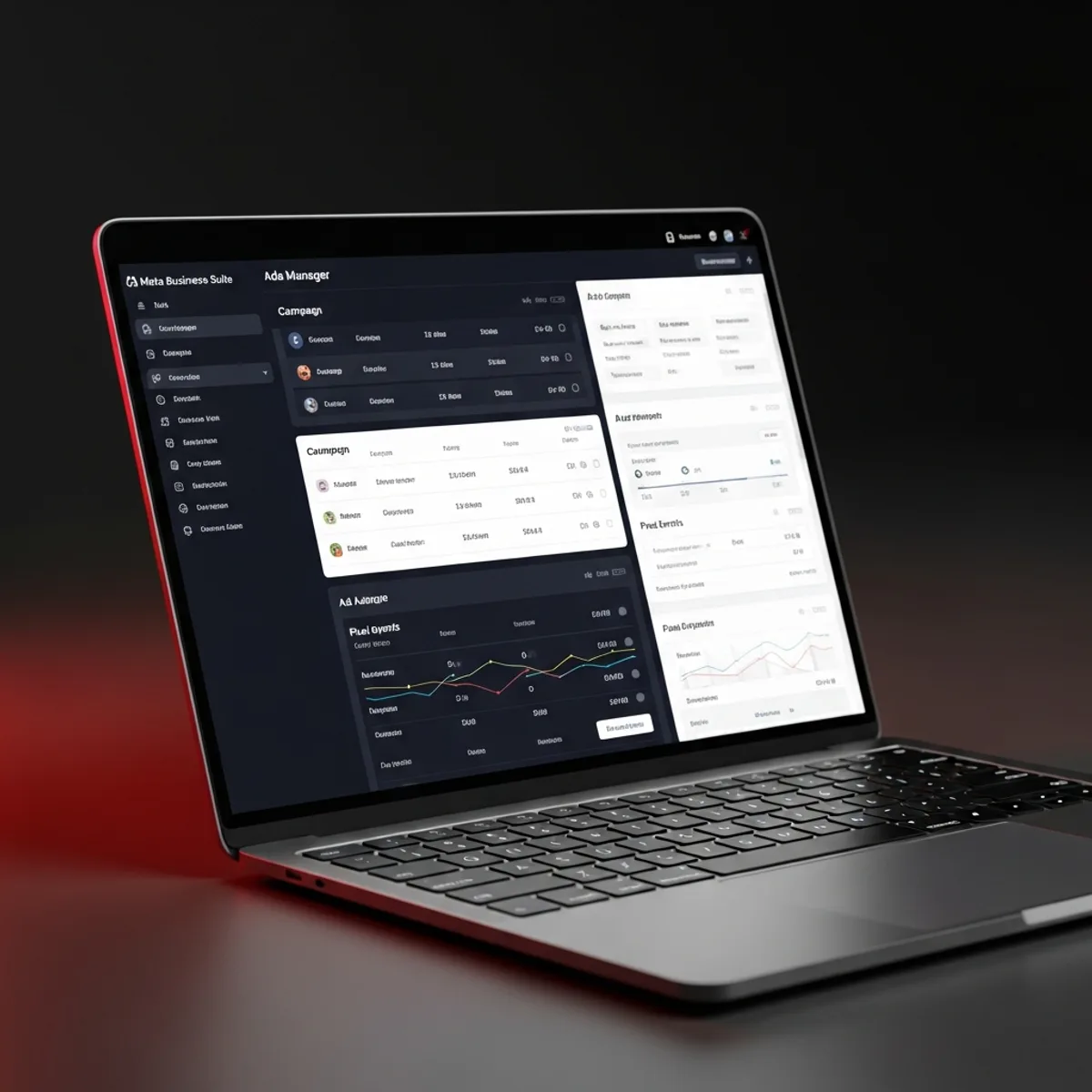
Meta Ads Manager is the core operations panel where Facebook and Instagram advertising is run, while Meta Business Suite is the higher-level corporate management interface that handles accounts, pages, users, permissions, and billing. The two are distinct layers that work together: Business Suite is the governance layer that owns your assets, and Ads Manager is the execution layer where campaigns are actually built, optimized, and reported on. In 2026, it is essentially impossible to advertise on Meta without setting up these two layers correctly, because the legacy personal ad account structure is no longer offered to new accounts. In this guide, I walk through the full Meta Business Suite setup from scratch, the Pixel and CAPI infrastructure, the first campaign creation, the three-layer audience model, and the most common issues you will run into along the way, so you can go from an empty account to a live, properly tracked campaign.
What is Ads Manager, and How Does It Differ From Meta Business Suite?
Ads Manager is the module where Meta's advertising operations actually happen: campaign creation, optimization, and reporting all live here. Meta Business Suite, on the other hand, is the corporate panel that manages your ad accounts, pages, user access, and billing. They are two distinct layers: Business Suite is "governance," while Ads Manager is "execution."
When you open a Business Account, a Business Suite is automatically created. Inside it, you define an ad account (Ad Account), add a payment method, install the Pixel, and assign user permissions. Ads Manager then runs as a module tied to that account, accessible from business.facebook.com/adsmanager or facebook.com/ads/manager.
As of 2026, Meta's current Business Suite architecture is the evolutionary continuation of the legacy Business Manager. All new accounts are opened with Business Suite by default. The legacy "Personal Ad Account" structure is no longer available for new accounts; advertising must be done through a business account. This change was made to standardize corporate ownership, billing, and permission management across the platform.
Meta Business Suite Setup: 7 Steps From Scratch
Setting up a new business account follows a clear order. Doing each step properly upfront prevents painful issues later.
Step 1: Create Business Manager (5 minutes)
Go to business.facebook.com and click "Create Account." Enter your business name, full name, and email. Verify the confirmation email. Your new Business Suite account is ready.
Step 2: Connect or create a Page (10 minutes)
From the "Pages" menu, connect your existing Facebook page or create a new one. If you have an Instagram account, link it from the "Instagram Accounts" menu. These pages will appear as the "from" identity on your ad creatives.
Step 3: Create an ad account (5 minutes)
Click "Accounts > Ad Accounts > Add" and select "Create a new ad account." Enter your business name, time zone (Europe/Istanbul for Turkey), and currency (TRY). Once created, the ad account will appear under Business Suite.
Step 4: Add a payment method (10 minutes)
Go to "Billing > Payment Methods > Add Payment Method." Add a credit card or bank account. Bank validation can take 24-48 hours. Prepaid cards are not recommended because there is no retry mechanism, which can pause your campaigns unexpectedly.
Step 5: Install Meta Pixel (30-60 minutes)
From "Events Manager > Connect Data Sources > Web," create a Pixel. Add the Pixel code to your website (placement via Google Tag Manager or a similar tag manager is preferred). Validate using the Meta Pixel Helper Chrome extension. Standard events like PageView, Lead, and Purchase are captured automatically.
Step 6: Conversions API (CAPI) integration (2-4 hours, or outsource to an agency)
Set this up via "Events Manager > [Pixel Name] > Settings > Conversions API." Events are sent server-side using Stape, GTM Server-Side, Segment, or a custom backend. Post iOS 14.5, this layer is essentially mandatory worldwide.
Step 7: Aggregated Event Measurement (AEM) priorities (15 minutes)
From "Events Manager > Aggregated Event Measurement," select your 8 priority events. The standard order is typically Purchase > Lead > InitiateCheckout > AddToCart > ViewContent > PageView. These priorities determine the single conversion event Meta will attribute for iOS ATT users.
Once these 7 steps are complete, you are about 80% of the way to launching ads. The remaining 20% is audience design and campaign setup.
Stuck on the dashboard? Let's map your next step.
A 30-minute call to look at your campaign structure, audience setup and pixel events together - and identify the single change that will unlock performance.
Book a callCreating Your First Campaign: Step by Step
The moment Ads Manager loads, the "+ Create" button launches the new campaign flow. Meta uses a three-tier structure: Campaign > Ad Set > Ad.
Campaign Level (Top Tier):
- Objective: pick from the 6 ODAX objectives (Awareness, Traffic, Engagement, Leads, App Promotion, Sales). The legacy Conversions and Catalog Sales objectives are now consolidated under Sales and Engagement.
- Campaign Name: use a consistent naming convention. Example: "TR-Cold-Conversions-Q2-2026," following country-layer-objective-period.
- Special Ad Category: tick if applicable (mandatory for credit, housing, employment, and political ads).
- A/B Test: enable if this campaign is part of a test set.
- Advantage Campaign Budget (CBO): when enabled, the budget is automatically distributed across ad sets.
Ad Set Level (Middle Tier):
- Performance Goal: the optimization target for the algorithm (for example, maximize number of conversions or maximize value).
- Conversion Location: website, Messenger, Instant Form, or Phone Call.
- Pixel and Event: which conversion event will be optimized for.
- Audience: Custom Audience, Lookalike, Saved Audience, or Advantage+ Audience.
- Placements: Advantage+ Placements is the recommended default; manual placements should only be used for specific reasons.
- Budget and Schedule: daily or lifetime budget, start-end dates.
Ad Level (Bottom Tier):
- Identity: which Facebook page and Instagram account will appear on the ad.
- Format: single image, Carousel, Video, or Collection.
- Media: upload visuals/videos or pick from an existing creative library.
- Primary Text, Headline, and Description: ad copy (5 variations recommended so the algorithm can pick the best performer).
- CTA Button: 30+ options like Shop Now, Learn More, Sign Up, Contact Us.
- Destination: website URL plus UTM parameters.
The success of your first campaign comes down to the audience, creative, and offer triangle. Knowing the tool alone is not enough; message-market fit is what actually moves performance.
Setting Up Meta Pixel and CAPI Correctly
Pixel and CAPI together form the "nervous system" of Meta Ads. A bad setup blinds your account, while a clean setup can drive 30%+ lower CPA.
The Pixel essentially consists of:
- A JavaScript snippet on your website (provided by Meta)
- Standard events: PageView, ViewContent, AddToCart, InitiateCheckout, Purchase, Lead, CompleteRegistration
- Custom events via
fbq('trackCustom', ...) - A unique Pixel ID per account
- Validation through the Meta Pixel Helper extension in Chrome
CAPI (Conversions API) adds on top:
- Server-side event transmission, which still works even when browsers block tracking
- Hashed user data (email, phone, name, and address), improving Meta's ability to match users
- Event Match Quality (EMQ) score, Meta's CAPI quality metric; aim for 8+
- Deduplication: the browser Pixel and server CAPI send the same event, and Meta counts it once
Setup options:
- Stape.io (easiest): $20-100/month, plug-and-play, integrates with GTM. Ideal for most SMBs.
- GTM Server-Side (medium difficulty): Google Cloud Run plus a GTM server container. $50-150/month, full control.
- Custom Backend (hardest): direct server-to-server event posting from Node.js, Python, or any backend you control. Requires a developer, but it is the fastest and cheapest at scale.
A properly configured Pixel, CAPI, and AEM trio can lift ROAS by 30% or more. The upfront investment is typically a one-time 8,000-25,000 TL setup plus 500-2,500 TL/month in hosting.
Building Audiences: The 3-Layer Model
Audience design accounts for roughly 40% of Meta Ads success. The right audience with a weak creative will still perform; a weak audience with a strong creative will not.
Cold Audience (new prospects):
- Demographics: age, gender, location
- Interests: hobbies, sectors
- Behaviors: purchase behavior, device, travel patterns
- Advantage+ Audience (recommended): the algorithm finds the optimal audience on its own
Warm Audience (engaged users):
- Custom Audience > Instagram Engagement: last 90/180/365 days
- Custom Audience > Facebook Page Engagement
- Custom Audience > Video Views: 25%/50%/75%/95% completion thresholds
- Custom Audience > Lead Form Open
Hot Audience (high-intent retargeting):
- Custom Audience > Website Visitor: Pixel-based, last 30/60/180 days
- Custom Audience > Add to Cart but Not Purchased
- Custom Audience > Initiate Checkout but Not Purchased
- Custom Audience > Customer List (email or phone hashed)
Lookalike Audience:
- Pick a source audience (email list, customer list, website visitors)
- 1% is the most similar and smallest pool; 10% is the broadest reach
- Set country to Turkey
- Use it as a complement to cold audiences
Once created, every audience becomes reusable from the "Audiences" panel. An audience should contain at least 1,000 people for the algorithm to have enough signal to optimize on.
The right campaign structure unlocks 30%+ lower CPA
When a Meta Ads account is structured correctly, the same budget produces 30%+ cheaper results. In a 30-minute strategy session, we review the structure of your current account and map out the highest-leverage improvements together.
Schedule strategy callCommon Issues and How to Solve Them
Six of the most frequent issues you will encounter inside Ads Manager, and how to handle each.
1. "Account Disabled" - the ad account has been suspended: A policy violation (copyright, health claims, before/after photos, financial promises) has been detected. Solution: Business Suite > Account Quality > Request Review. The account is typically reinstated within 2-7 business days, or permanently disabled. Critical lesson: never rely on a single ad account; always have a backup Business Manager prepared.
2. The Pixel shows "No Activity":
Either the Pixel code is placed incorrectly or events are not firing. Solution: inspect the page using the Meta Pixel Helper Chrome extension. If PageView is missing, verify the code is in the <head> (not the body) and that the event fires on page load. If installed through GTM, double-check the triggers.
3. Campaign stuck in "Learning Limited": The algorithm cannot collect enough conversion data (fewer than 50 conversions per week). Solution: broaden the audience, raise the budget (5-10x your target CPA on a daily basis), reduce the number of ad sets, or move to a higher-funnel conversion event (for example, Lead instead of Purchase).
4. High CPM, low CTR: Creative fatigue or audience overlap. Solution: introduce 3-5 fresh creatives every month, exclude overlapping audiences (merge if overlap exceeds 30%), and test Reels placements to bring CPM down.
5. Low CAPI EMQ score: The hashed user data on server-side events is insufficient. Solution: send email, phone, first and last name, IP, and browser fingerprint together. Aim for an EMQ of 8+; anything below indicates weak signal quality.
6. AEM priorities set incorrectly: The 8 conversion events are ordered in the wrong sequence. Solution: stick to the classic order: Purchase > Lead > InitiateCheckout > AddToCart > ViewContent > PageView. Only the highest-priority event is counted for iOS ATT users, so order matters.
Frequently Asked Questions
Is Meta Ads Manager free?
Yes, Ads Manager itself is free to use. You only pay Meta when you run ads. Creating an account, installing the Pixel, building campaigns, and designing audiences all cost nothing.
What is the difference between Meta Business Suite and Ads Manager?
Business Suite is the corporate management panel (accounts, pages, permissions, billing). Ads Manager is the advertising operations module (campaigns, optimization, reporting). Business Suite is the upper layer, and Ads Manager runs as an operational module underneath it.
I just opened my account, can I start advertising immediately?
No. You first need to install the Pixel and CAPI and validate your payment method. New accounts also go through a "warm-up" period from Meta, where the first 24-48 hours should run with a low budget and organic-style testing. Starting with an aggressive high budget will break the algorithm's learning early.
Can I run ads without a Pixel?
Yes, but conversion- and sales-oriented campaigns will not work. Upper-funnel objectives like Awareness, Traffic, or Engagement do not require a Pixel. Anything optimized for conversions, however, requires the Pixel and CAPI stack.
How long until a campaign starts producing results?
First conversion signals appear within 3-7 days. The algorithm's Learning Phase completes in 7-14 days and requires 50 conversions. Stable ROAS typically takes 30-60 days. Advantage+ Shopping campaigns have a longer learning curve, often 14-30 days.
How should I write ad copy?
Hook (first 1-2 lines, attention-grabbing) plus Bait (3-5 lines, value proposition) plus CTA (1-2 lines, clear action). Primary Text supports 125 characters, Headline 40, Description 30. Test 5 variants and let the algorithm pick the top performer.
Which format produces the best results?
In 2026, Reels delivers the highest completion rates and the lowest CPM. Vertical video (9:16), 7-15 seconds, with a hook-bait-CTA structure and UGC styling, is the new standard. There are sector differences though: e-commerce favors Carousel and Catalog, services lean on Image and Video, and B2B works well with Video and Whitepaper combinations.
How do I actually learn to use Ads Manager?
Three sources: 1) the Meta Business Help Center (official docs), 2) Meta Blueprint (free online courses plus certification), and 3) established Meta Ads educators on YouTube and LinkedIn (avoid generic "marketing guru" channels; look for creators who screen-share live accounts). The fastest practical learning method is to run a small-budget campaign of your own (around 1,000 TL/month) and learn by doing.
Stuck on the dashboard? Let's map your next step.
A 30-minute call to look at your campaign structure, audience setup and pixel events together - and identify the single change that will unlock performance.
Book a callThe Ads Manager and Meta Business Suite combination has evolved into a far more complex discipline in 2026 than the old banner-advertising days, when uploading a creative and setting a budget was essentially the whole job. Today the moving parts are account setup, the Pixel, server-side CAPI, AEM event prioritization, the three-layer audience model, and the campaign-ad set-ad hierarchy, and each one quietly multiplies or wastes the others. When all of them are built correctly and feed clean signal back to the algorithm, ROAS levels of 4x or higher become realistic rather than aspirational. The 7-step setup, the campaign creation flow, and the 6 common issue resolutions in this guide are a solid foundation for anyone starting from zero, and the same checklist is exactly what you would use to audit an account that is already running but underperforming.
You can review my Meta Ads agency service page for detailed package contents, pricing ranges, and client outcomes.
Related guides: What is Meta Ads · Instagram Ads Guide 2026 · How to Increase Facebook Ads ROAS · Google Ads vs Meta Ads

Abdullah Çalış
Dijital Pazarlama Stratejisti & Otomasyon Mimarı
Framework odaklı, veri destekli dijital pazarlama stratejileri ve AI otomasyon çözümleri ile markaların sürdürülebilir büyümesini sağlıyorum.
Dijital Pazarlama Stratejinizi Güçlendirin
Framework odaklı yaklaşımımız ile markanızı büyütmek için hemen iletişime geçin.
Strateji Görüşmesi Alınİlgili Yazılar
What is Meta Ads? Complete 2026 Beginner Guide
Complete Meta Ads platform guide: Facebook and Instagram campaign types, Conversion Leads, Advantage+, CAPI, and 2026 ROAS optimization.

Instagram Ads: Step-by-Step Guide From Scratch 2026
Instagram ads guide: Step-by-step Meta Ads Manager setup, targeting, format selection, budget settings, and launching your first campaign.

How to Increase Facebook Ads ROAS? Framework Approach
Proven methods to increase your Facebook Ads ROAS with the Growth OS framework. Creative testing, scaling, and optimization strategies.